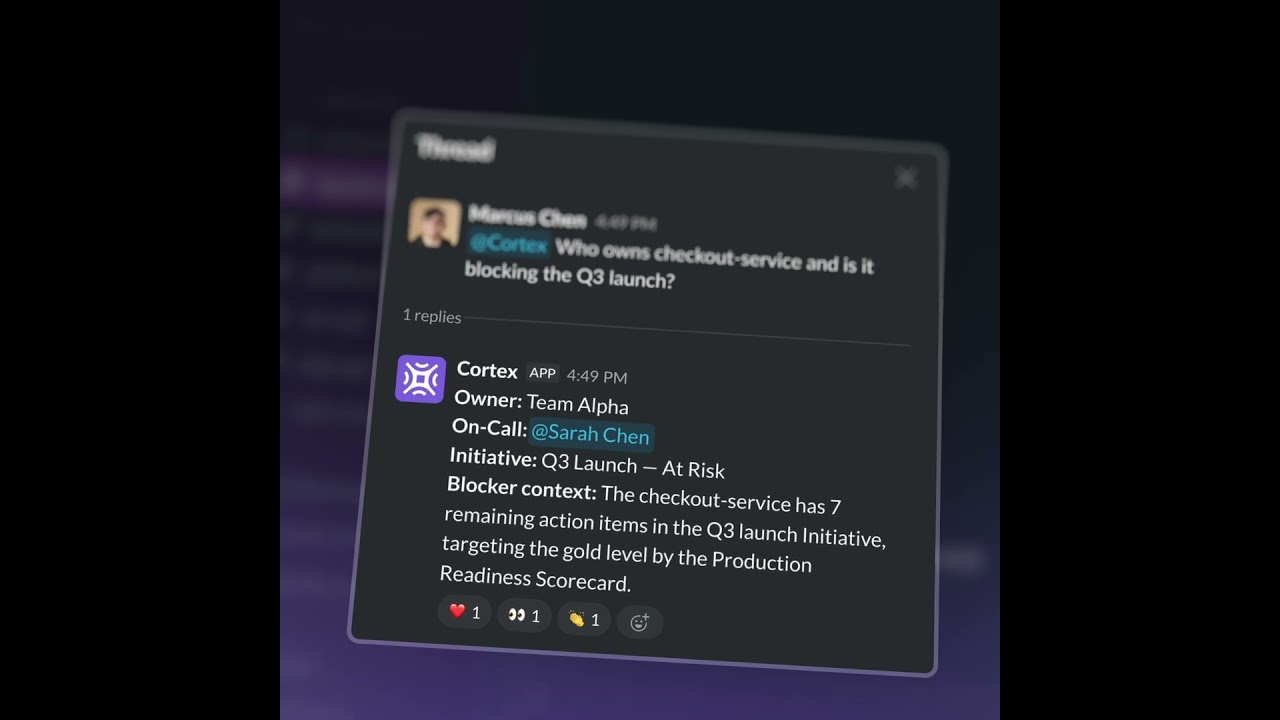

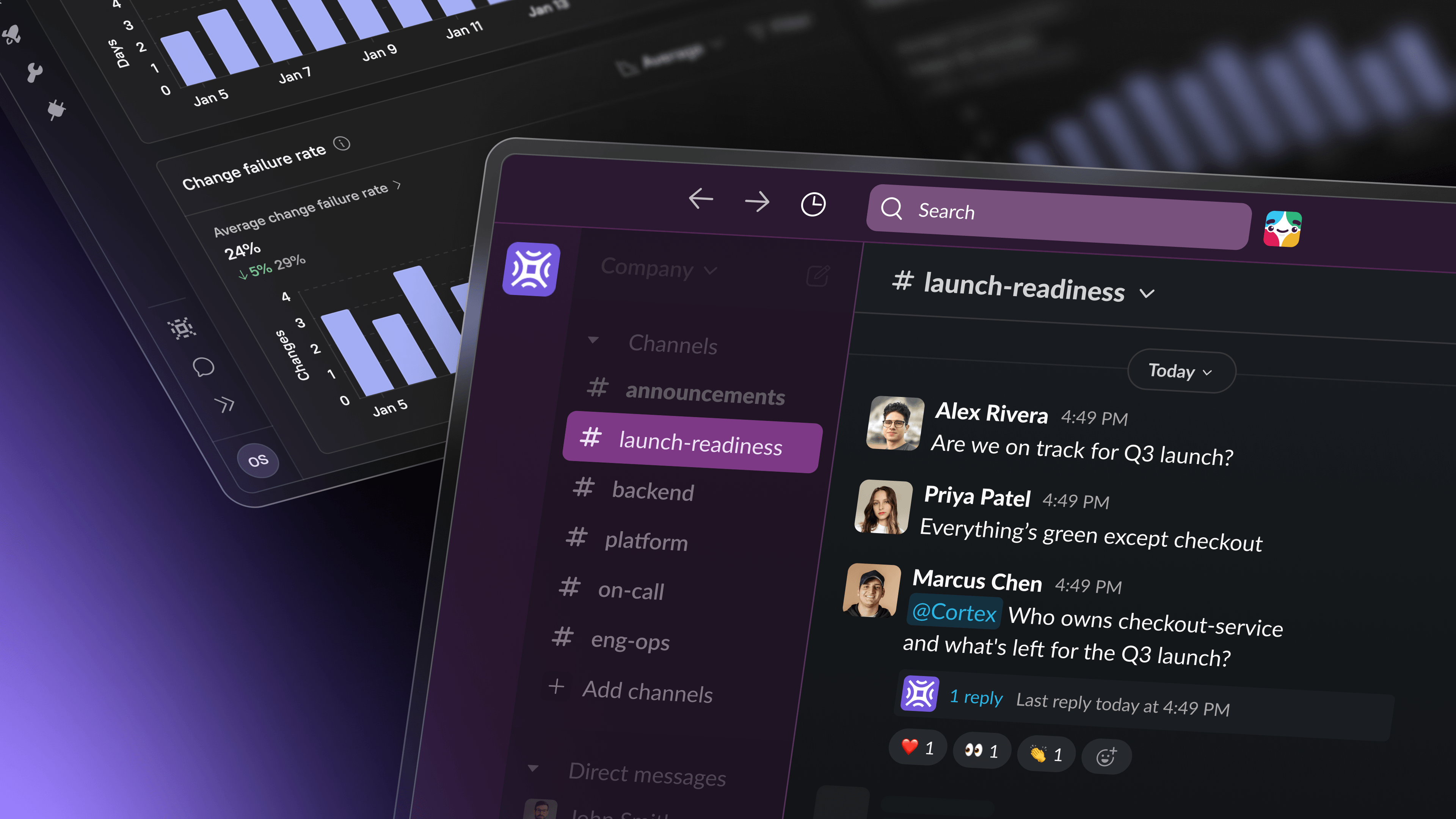
The Monday morning thread. Someone asks who owns checkout-service. Someone else asks what changed in the Production Readiness Scorecard last week. A third person wants to know if the Kubernetes migration is blocking the launch next Thursday.
The answers exist. They live in Cortex. But getting them into the thread means someone stops what they're doing, opens a tab, finds the data, and pastes it back. By the time they do, the conversation has moved on.
The news
The Cortex AI Assistant is now in public beta. Mention @Cortex in any Slack channel that Cortex has been invited to, public or private, and get grounded answers pulled from your Cortex data. Questions can be as simple as "who owns payments-api?" or as analytical as "what's driving our incident trends this quarter?" The Assistant pulls context from all across Cortex, including ownership, Scorecards, Initiatives, on-call, dependencies, and Eng Intelligence metrics, and holds context across a threaded conversation. It's read-only in this beta, so it answers, analyzes, and summarizes without changing state.
Where the conversation already is
The value of a single source of truth goes up when it reaches the place decisions actually happen. For most engineering orgs, that place is Slack. Incident response happens in channels. On-call handoffs happen in threads. Planning happens in async messages spanning three time zones and two continents.
Putting the Cortex answer layer into that surface means the data and the conversation finally share a room.
A platform lead types:
@Cortex who's on-call for payments-api and what's the current Scorecard score?
A TPM following an initiative types:
@Cortex which teams are behind on the Kubernetes migration, and what's blocking them?
A director typing from a review meeting types:
@Cortex summarize the top ownership gaps across services touched in the last 30 days.
Nobody had to open a new tab. Nobody had to ping someone to run a report. The question got asked and answered in the same thread, with context everyone in the channel can see.
The compounding benefit is what matters for leaders. Every time an IC or a senior engineer self-serves an answer in Slack, that's one less message routed through you. Engineering leadership stops being the routing layer between "who knows this?" and "who needs to know?"
From simple questions to complex analysis
Most Slack bots answer lookup questions. The Cortex AI Assistant answers those, then keeps going.
The range, escalating in depth:
Lookup. "What services does my team own?"
Status. "What's the production readiness score for
checkout-service?"Pattern. "Has PR size increased recently, and does it correlate with longer review times?"
Strategic. "What are the patterns of incidents on my team over the last two quarters, and where should we invest to improve reliability?"
Executive. "Give me a summary of everything my org shipped and the key accomplishments this quarter."
For engineering leaders, the shape of the value shifts as the question deepens. A two-second lookup saves someone a tab switch. A strategic question saves you a half-day of manual aggregation, three Slack threads, and a spreadsheet nobody will look at again. The Monday morning status roll-up that took two hours and three people can now be a single prompt.
If you want a fuller set of patterns to try on day one, the prompt library organizes them by role and by use case.
Your data, your context
A general-purpose AI assistant guesses about how your engineering org works. The Cortex AI Assistant knows, because the Cortex Context Graph underneath it holds your specific organizational context: services, ownership, Scorecards, Initiatives, team structure, and Eng Intelligence data, and more. Every response is grounded in you, your team, and your workspace, not in internet consensus about how engineering teams are supposed to operate.
For leaders, that means:
Language scoped to your world: your Initiative names, your team handles, your service taxonomy
Responses that reflect your org's actual standards, not a generic industry template
Answers and analysis you can bring into a board deck, a roadmap doc, or a QBR without days of information stitching
Recommendations that are actionable because they start from what your org actually looks like
This is the difference between a chat window and a colleague who read every doc before you walked in.
If you already use Cortex in Slack
Two questions come up immediately from existing customers.
How is this different from Cortex MCP? The MCP brings Cortex data into your IDE and whatever LLM you're working with there. The AI Assistant is a separate product with its own reasoning model, built for the conversational analysis that happens in Slack channels. What they share is the foundation underneath: the Cortex Context Graph. If you already use MCP and love it, the Assistant is the version you reach for when the question comes up in a thread instead of in your editor.
How is this different from Cortex slash commands? Slash commands are still the fastest way to do a known lookup with known syntax. The Assistant doesn't replace them. It adds a different mode. You don't need to remember the syntax, and you're not limited to one lookup at a time. Ask, follow up, drill in, pivot. The conversation is the interface.
One more thing
Engineering leadership runs on asynchronous answers. For too long, the bottleneck wasn't whether the answers existed. It was how far the answer had to travel to reach the question.
The Cortex AI Assistant shortens that distance to zero.
The Slack setup guide walks you through updating the Slack integration and inviting the Assistant to channels. The prompt library will keep you busy for a week.
New to Cortex? Request a demo here to see the AI Assistant mapped to your org.