
Summary
An engineering ops review (also called an operational excellence or OpEx review) is a recurring meeting where an engineering org checks how reliably, securely, and efficiently it ships software, and assigns follow-up work.
Leadership attendance and a fixed agenda keep the review focused on decisions instead of status readouts.
The three sample agendas here cover a startup or mid-market org, an enterprise team, and an enterprise org.
Treat each agenda as a starting point and adapt it to your on-call rotation and org size.
It’s 9 p.m. on Sunday, and an engineering manager is pasting PagerDuty counts and Datadog graphs into a slide deck for Monday’s engineering ops review. On Monday, the first incident readout eats half the hour, the VP drops off for another call, and nobody gets to last week’s action items. Two quiet weeks later, someone cancels the meeting because nothing broke.
Most ops reviews die this way, and the fix takes more than a template. The reviews that last have a leader who attends every week and holds teams to the action log, plus an agenda disciplined enough to keep the hour on decisions. Startups and mid-market orgs can run one 60-minute global review each week. Enterprises can pair 30-minute local team reviews with a 60-minute org-wide review, each weekly or biweekly. Whichever format you pick, every review should end with a named owner and due date for each follow-up item.
Below are the decisions to settle before your first review, the metrics to bring, three agendas sized for different orgs, and the routine that keeps action items alive between meetings. For the full practice behind them, see our guide to running an operational excellence review.
What an engineering ops review covers
An engineering ops review, which Cortex calls an operational excellence (OpEx) review and Google’s SRE teams call a production meeting, is a recurring check on production health that ends in owned follow-up work. The agenda covers signals across delivery, reliability, security, and cost, such as incidents, on-call load, service-level objectives (SLOs) and error budgets, open vulnerabilities, cloud spend, and toil, along with open action items from past reviews. Google’s SRE production meetings “usually happen weekly” and run “somewhere between 30 and 60 minutes.”
Decisions to make before the first review
Owner, facilitator, attendees, cadence, and data aggregation all change with the format. Choose the owner carefully, since their attendance is what tells everyone else the review is mandatory.
The PagerDuty on-call review guide lists the team manager and the outgoing and incoming on-call engineers as required attendees, and notes that the outgoing responder often runs the meeting. Keep every format open to engineers outside the core group so the review never becomes a management-only meeting.
Map every service to an owning team before the first review, so each metric lands with someone accountable. A service ownership catalog keeps that mapping current as people change teams.
Metrics to bring to an engineering ops review
Every agenda below includes a DRIVE scorecard block, so build the pre-read around the five DRIVE pillars: Delivery, Reliability, Initiatives, Vigilance, and Efficiency. Agree on each metric’s definition before the first meeting, so the review never stalls on what counts as an incident.
Critical metrics are the ones to start with. Secondary metrics, such as PR cycle time, MTTR, and error budget burn, are worth adding once those are in place or where an area has been a pain point. If you’re starting from scratch, begin with two pillars that counterbalance each other, usually Delivery and Reliability, and expand from there. See DORA vs DRIVE metrics for how DORA fits inside DRIVE, and the DRIVE framework report for the full breakdown under each pillar.
Three sample engineering ops review agendas
These formats come from Cortex’s DRIVE framework report, which has the full agendas for all three org sizes. The org-wide format draws on the AWS Wednesday Ops Review, the local team format on Google’s SRE production meeting, and the startup format combines both.
Move from the startup format to the paired enterprise formats at roughly 150 to 250 engineers, or sooner if the 60-minute review keeps running over even when you focus only on exceptions, or if a Sev0 in one domain is news to other domain leaders. Treat the timings, attendee lists, group sizes, and block contents as starting points, and adjust once you see where discussion runs long.
The startup and org-wide reviews focus on red and anomalous metrics so the hour doesn’t rehash the same items. Enterprises can pair the two enterprise formats: local reviews go deep on each team’s own services, which frees the org-wide review to stay on critical metrics.
Startup and mid-market global review
Startups and mid-market orgs run one global review each week for 60 minutes, extended as needed. The VP of Engineering, EMs, tech leads, staff+ engineers, and outgoing on-call engineers attend, and anyone in engineering, product, or design can join. Aggregate metrics per service for small teams, otherwise by domain, or by team when domains aren't defined.
Enterprise local team review
Each enterprise team or group runs its own 30-minute review, weekly or biweekly depending on its on-call rotation, with metrics aggregated per service. The EM, tech leads, and outgoing on-call engineers attend, plus any engineer in the group, for about 8–12 people. PagerDuty calls reviewing on-call load weekly "a leading practice for most mature organizations," sizes the meeting at "about 30 minutes," and calls for a blameless approach.
Enterprise org-wide review
Enterprises run one org-wide review weekly or biweekly for 60 minutes, extended as needed, with metrics aggregated by team or domain. VPs, directors, EMs, tech leads, staff+ engineers, SRE, and outgoing on-call engineers from every domain attend. Any engineer can join.
How to run each review cycle
Each cycle should end with an updated action log and new tickets that have owners and dates.
Step 1: Send the pre-read before the review
Send the metrics and open action items before the meeting so time in the room goes to decisions. Pulling numbers by hand every cycle takes hours from the people who should be making them. Plan to automate ops review prep from the start.
Step 2: Open with last review's commitments
Mark each prior action item as closed, in flight, or dropped, with a reason for any drop. The output is an updated action log.
Step 3: Walk the anomalies and skip the green metrics
The facilitator questions anything that doesn't add up. For example, ask why a service shows a green SLO in the same week it had a customer-facing incident. The output is a list of anomalies, each with an owner investigating it.
Step 4: Check on-call load per shift
Compare pages per on-call shift across several reviews, since one week can mislead. Repeated heavy load on a team calls for automation work to cut the pages.
Step 5: Turn findings into owned backlog items
Before people leave the room, create a ticket for every finding with an owner, a due date, and a size, then add it to sprint planning. For gaps that keep recurring, track standards with engineering scorecards so progress stays visible between reviews.
How to tell whether the review is working
AWS advises teams to “regularly review metrics, reaffirm or modify goals and objectives, and prioritize improvements,” and that advice applies to the ops review itself. Check these four measures once a quarter. Completion rate and whether findings reach sprint plans show the review is producing work, and repeat incidents and on-call load show whether production is improving.
Action item completion rate: Track the share of action items closed by the next review. Watch for padding, since teams can inflate this rate with trivial items.
Repeat-incident count: Count incidents with a cause that already appeared in a past review.
On-call load trend: Compare pages per on-call shift across the quarter.
Ops work in sprint plans: Check whether review findings appear in sprint plans.
If repeat incidents stay flat for a quarter, your action items are probably too small or poorly targeted, so revisit how Step 5 sizes them.
Common ops review mistakes
Each of these mistakes turns the review into a status meeting or stops it from producing work.
Canceling in quiet weeks: Slow drift in paging and error budgets shows up in quiet weeks. Keep the slot and shorten it when the agenda is thin.
Running on anecdotes: Opinions without data stall decisions. Send the pre-read and ask for the number behind each claim.
Merging it with the retro: Process and people topics crowd out production health. Hold separate meetings.
Rewarding manual heroics: Praising whoever absorbed the most pages hides toil. Thank the responder, then file the automation work.
Letting the owner skip it: When the VP stops attending, everyone else reads the review as optional, and the action log stops carrying weight. If the owner can’t make it, send a delegate with the authority to assign work.
Running engineering ops reviews with Cortex
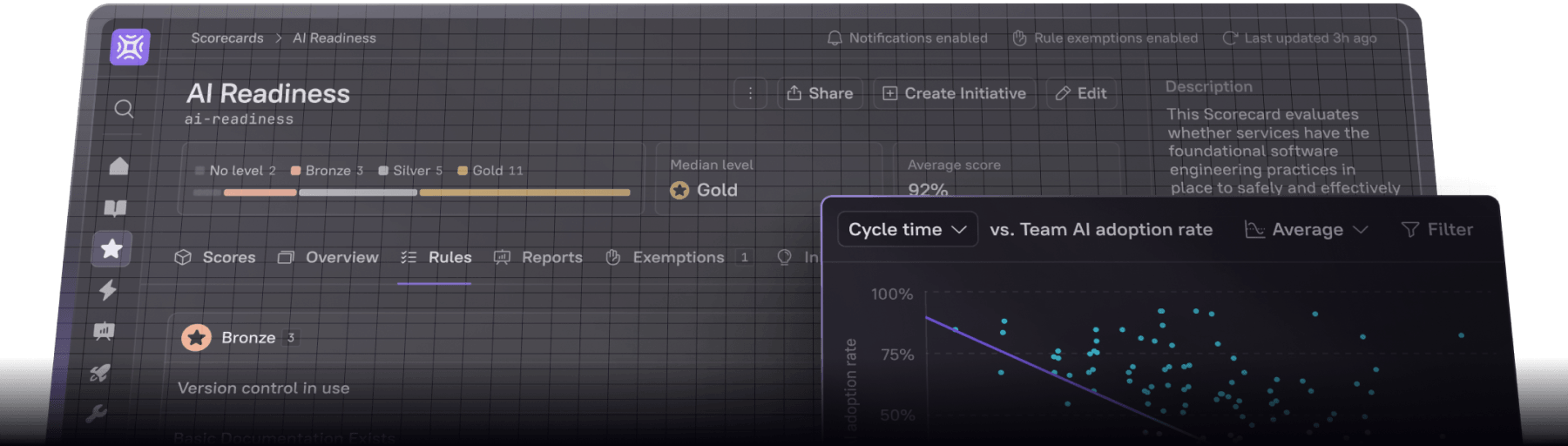
Cortex keeps the review’s inputs current between meetings, so nobody spends Sunday night building the deck. The Context Graph maps every service to its owner, Scorecards track standards continuously, and Engineering Intelligence rolls up DORA metrics per team. The OpEx Review Agent prepares each cycle’s review data before the meeting. When the facilitator questions an anomaly, anyone can ask Cortex AI (in Slack, in the app, or via MCP) who owns a failing service or what’s blocking an initiative, and get an answer from live data. Gaps the review surfaces become follow-ups tracked across reviews, or Initiatives with Jira tickets, owners, and deadlines, and Workflows can run the remediation automatically the next time the same Scorecard rule fails.
H&R Block removed the manual reporting effort of seven program managers with Cortex. Skyscanner’s engineering leadership used it to land three engineering-wide initiatives across an 800-plus-engineer org, each faster than the last.
Book a demo to see how Cortex prepares your next ops review, or take the DRIVE maturity assessment to see where your org stands today.
Frequently asked questions
How long should an engineering ops review take?
Plan 30 minutes for an enterprise local team review and 60 minutes for startup and enterprise org-wide reviews, extending those two as needed.
Who should be the ops review facilitator?
The outgoing on-call engineer or the EM runs enterprise local team reviews. For startup and org-wide reviews, rotate the role among staff+ engineers and director+ managers, who question anomalies and follow up on action items.
Should you skip the ops review when nothing broke?
No. Keep the review in quiet weeks, since that's when drift shows up in trends, such as rising off-hours pages or an error budget burning down over several weeks. Run a shortened agenda instead: the prior action items audit and the scorecard review.
What's the difference between an ops review and a post mortem?
A post-mortem goes deep on one incident, while an ops review looks across every service on a fixed cadence for patterns. The ops review is also where post-mortem follow-through gets checked, since the AWS post-incident analysis guidance says to document root causes and “ensure they are reviewed and addressed.”
Should enterprises run both local and org-wide reviews?
Yes, once you reach roughly 150 to 250 engineers or the single review keeps running over. Local reviews handle secondary metrics, every SLO, and Sev2+ incidents for each team’s own services, which keeps the org-wide hour on critical metrics and Sev0 readouts. Without the local layer, the org-wide review either runs long or skips the detail that explains its anomalies.